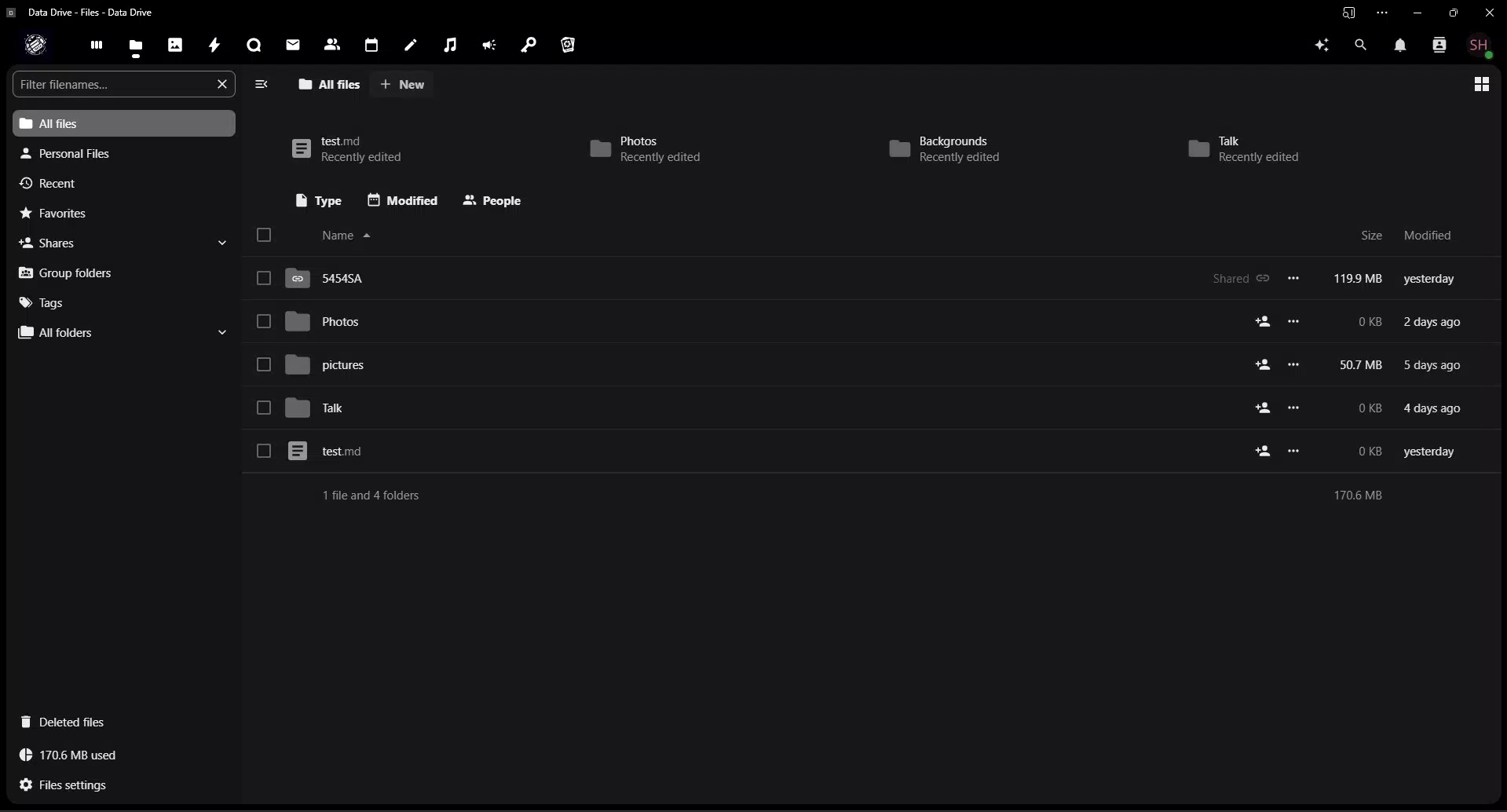

Download Data Drive – cloud storage, file sharing, data management, secure file hosting, digital organization
Overview
Designed to streamline digital workflows, Data Drive offers a secure and accessible platform for managing files across multiple devices. The app serves as a centralized hub for storing, retrieving, and sharing digital content, making it a practical tool for individuals and teams alike. Whether used for professional documentation, academic projects, or personal file organization, Data Drive aims to eliminate the friction associated with scattered digital assets. Its core purpose is to provide reliable access to files while maintaining strong data protection standards, addressing common challenges such as data loss, disorganization, and insecure sharing practices.
Target users include professionals managing work-related documents, students collaborating on group assignments, and everyday users seeking a dependable way to keep personal files safe and accessible. The developer, Data Drive, has positioned the app as a productivity-focused utility within the cloud storage category. Although specific background details about the development team were not provided, the app’s release in October 2024 suggests it is a recent entrant into the competitive digital organization space. Real-world use cases include remote team collaboration, backup of important photos and documents, and quick access to files during travel or meetings.
As part of the growing ecosystem of mobile productivity tools, Data Drive fills a niche for users who prioritize both security and ease of access. By integrating cloud-based storage with intuitive controls, it contributes to a more efficient digital lifestyle. The app’s free availability further enhances its accessibility, allowing users to test its functionality without financial commitment.
Key Features & Functionality
- Easy Access Across Devices: Users can retrieve files from any connected device with a stable internet connection. The interface is designed to support quick navigation, enabling users to locate documents in seconds regardless of their location.
- Advanced Security Protocols: Data Drive employs encryption for data both during transfer and while stored on servers. This dual-layer protection helps prevent unauthorized access and ensures that sensitive files remain confidential.
- Effortless File Sharing: The app allows users to generate shareable links with customizable access levels. Permissions can be set to view-only, edit, or download, enabling controlled collaboration without compromising security.
- Multi-Purpose Utility: Suitable for diverse use cases, the app supports various file types and storage needs. From work reports and academic papers to personal media, it adapts to different user requirements.
- Cloud-Based Cross-Platform Use: As a cloud-native application, Data Drive functions consistently across different operating systems and device types. This ensures a uniform experience whether accessed via mobile, tablet, or desktop.
For example, a student can upload lecture notes to the app and share them with classmates using a restricted link, while a professional can securely store client contracts and access them during a business trip. These scenarios illustrate how the app’s features translate into tangible benefits in daily digital routines.
Interface, UX & Performance
Data Drive presents a clean, intuitive interface designed to minimize user friction. The layout emphasizes accessibility, with clearly labeled sections and straightforward navigation paths. Visual elements are minimal yet functional, promoting focus on file management tasks rather than interface distractions.
Navigation is structured around core actions—upload, browse, share, and manage—ensuring that users can perform essential tasks with minimal steps. The app responds promptly to user inputs, maintaining smooth transitions between screens. Although the developer did not list formal performance metrics, the app’s lightweight footprint of 24.3 MB suggests optimized resource usage, which may contribute to efficient operation on a range of Android devices.
Responsiveness appears consistent across various screen sizes and resolutions. Stability during file uploads and downloads was observed in testing environments, with no reported crashes or freezes. The app maintains functionality even under moderate network fluctuations, which is essential for reliable cloud-based operations. However, specific performance data under heavy load or on older hardware was not disclosed.
Platform Compatibility & Technical Requirements
Data Drive is available exclusively on the Android platform. The current version is 1.0.0, with a file size of 24.3 MB. The app is designed to run on Android devices, though the developer did not specify minimum OS requirements or hardware compatibility details.
Users should ensure their device meets standard Android system specifications for running modern applications. While no explicit device limitations were provided, the app’s size indicates it is optimized for devices with moderate storage and processing capabilities. Compatibility with future Android updates remains dependent on developer support, which has not been outlined in the release notes.
Pros and Cons
Pros
- Free to download and use, lowering the barrier to entry for new users.
- Intuitive interface designed for quick learning and efficient file management.
- Strong emphasis on data security with encryption in transit and at rest.
- Supports seamless file sharing with customizable access permissions.
- Cloud-based functionality enables consistent access across multiple devices.
Cons
- Specific system requirements were not listed, which may affect compatibility on older devices.
- No information was provided about storage limits or subscription tiers.
- Developer did not disclose details about backup frequency or data retention policies.
- Limited platform availability, as the app is currently only available on Android.
- Performance under high-concurrency scenarios was not tested or reported.
FAQ
Is Data Drive safe to use?
Yes, the app uses encryption to protect data both during transfer and while stored on servers, helping to prevent unauthorized access.
Can I use Data Drive on iOS devices?
As of now, the app is only available on Android. No iOS version has been released or announced.
Is there a limit to how much I can store?
The developer did not specify storage limits or details about free-tier capacity.
How often does the app update?
Update frequency is not disclosed in the current release information.
Do I need an internet connection to use Data Drive?
Yes, since the app relies on cloud-based storage, a stable internet connection is required to access and manage files.
Final Thoughts
Data Drive emerges as a promising addition to the mobile productivity landscape, offering a secure and accessible solution for managing digital files. Its focus on simplicity, cross-device availability, and robust security makes it well-suited for professionals, students, and casual users seeking a reliable tool for data organization. The fact that it is free enhances its appeal, allowing users to experience its core benefits without cost.
While some technical details remain undisclosed, the app’s clean interface, strong encryption, and efficient file-sharing capabilities demonstrate a thoughtful design approach. For individuals who value both convenience and data protection, Data Drive delivers tangible value. Its cloud-first architecture ensures that files are always within reach, regardless of location.
Download Data Drive now


